 Cast Your Line
Keep your waters on the map. Keep your spots to yourself.
The Mac app keeps your waters, places, and the trips that happened there. Route recording is part of the iPhone and iPad app, which is coming soon.
Your waters, with their history
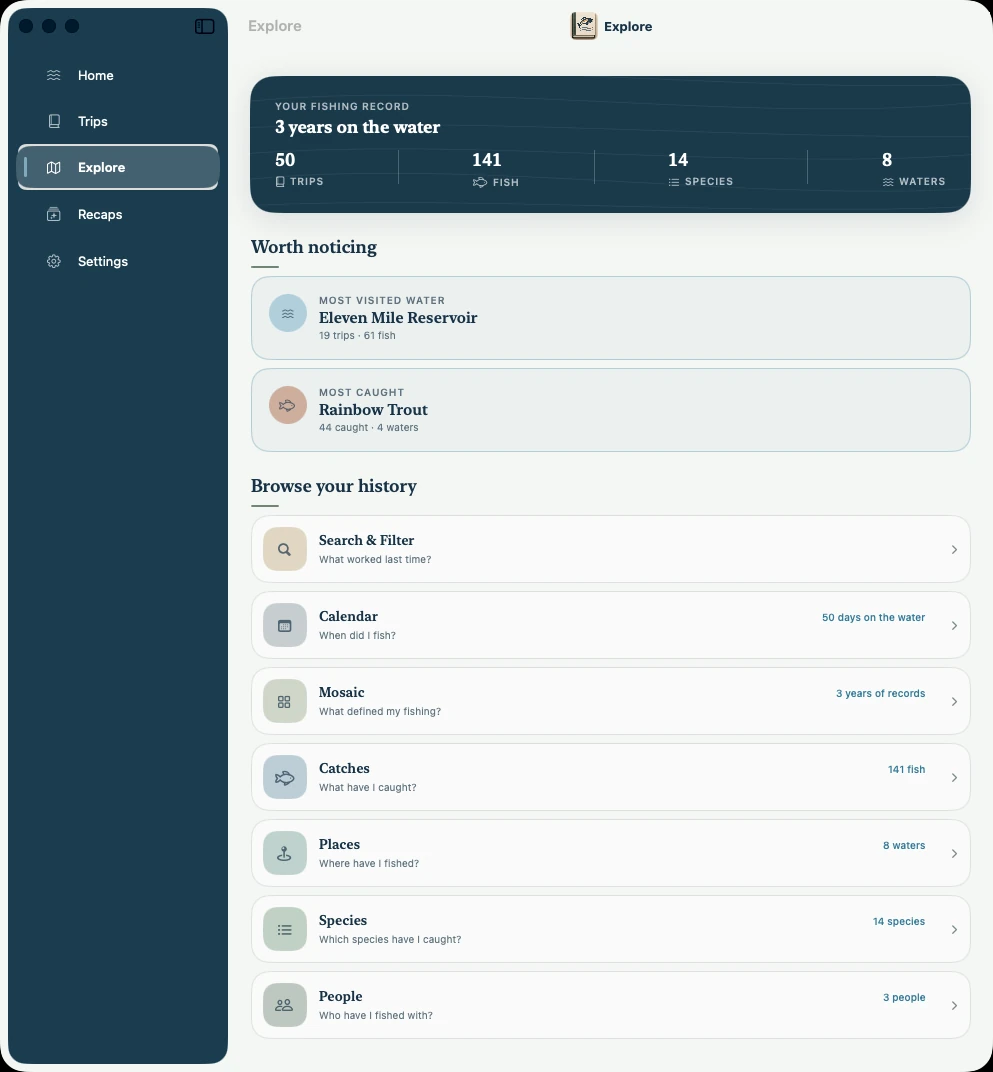
Save the lakes, rivers, and reservoirs you fish, and every trip stays attached to its water. Open a place and you see how often you have been, what you caught there, and when.
Over a few seasons you can see which water you keep choosing. In the sample journal that is Eleven Mile Reservoir: 19 trips and 61 fish.
Tap the screenshot to see it full size.
A map of where you fished
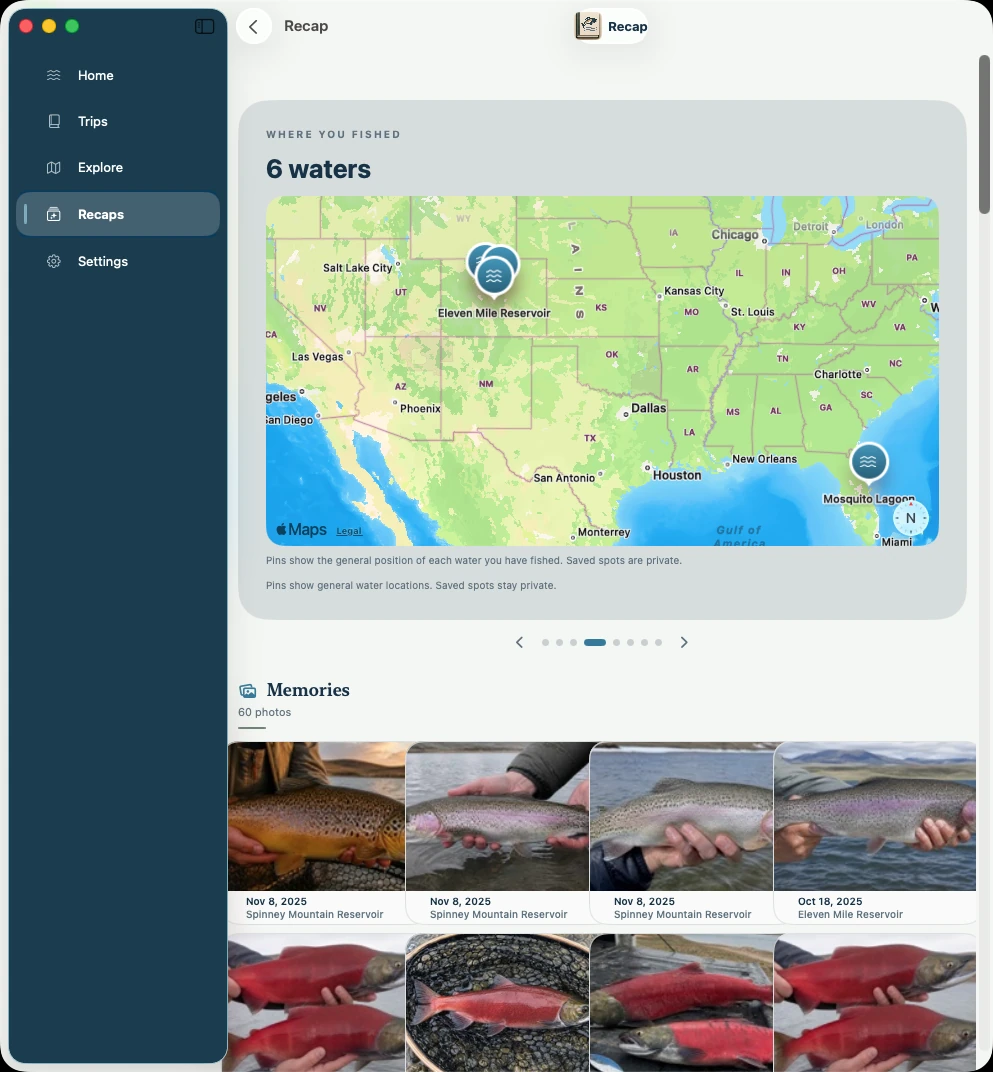
Each yearly recap puts the waters you fished on one map. It is a picture of your year, from the home reservoir to the trip you drove two days for.
This is a map of waters, not a GPS track. Pins mark the general location of each water. Saved spots stay private.
Tap the screenshot to see it full size.
Spots
Mark a spot on the map for a place you want to find again. Spots are saved in your journal and are not posted anywhere.
Available on Mac today
Waters and places, each water’s trip history, the recap map, and spots you place on a map.
Coming with iPhone and iPad
Optional GPS route recording while you walk a river, wade, paddle, or troll, and saving a spot from where you are standing. The Mac app can show saved routes. It does not record them.
Private where it matters
Location is used only when you ask for it. Logging weather sends only a water’s general location to Apple. Maps in recaps and books show general water locations, never the spots you fished. Nothing is shared unless you choose to share it.
Start with your next trip. Or your last one.
Available now for Mac. iPhone and iPad coming soon.